IoT Data Hub · Data Exploration
Analyze historical machine data—without losing sight of the analytical context.
AI notebooks combine natural language, visible Python code, and stored platform data in a unified working environment for traceable production analyses.
Part of the IoT Data Hub
Diese Fähigkeit arbeitet auf derselben Konnektivität, Semantik, Historie und Governance wie alle Data-Hub-Werkzeuge.
When every production issue starts all over again with data export and individual scripts
AI notebooks transform isolated analyses into an accessible and reproducible workflow based on a shared data foundation.

- 01
Production data is compiled anew for each question
Exports, tables, and individual scripts provide a quick solution for an analysis, but they don't offer a reliable way to address the next question.
- 02
Knowledge of Python is concentrated among a small number of specialists
Production and Quality are waiting for data experts, even though they are already familiar with the process context and the relevant questions.
- 03
One-time analyses cannot be replicated
If the query, calculation, and result are stored separately, it becomes nearly impossible to determine later how a particular result was arrived at.
- 04
Results Lose Their Plant and Process Context
A single metric alone does not explain which line, batch, shift, or parameter change influenced the result.
Analysis Path
From the Production Question to a Reusable Result
The query, code, controlled data access, and result remain linked in a single, end-to-end workstream.
- 01
Formulate a production question
The analysis begins with a technical question and the relevant context—whether it be an asset, a product, a time period, or a key metric.
Asset · Time Period · Product · Key Metric
- 02
Generate Visible Python Code
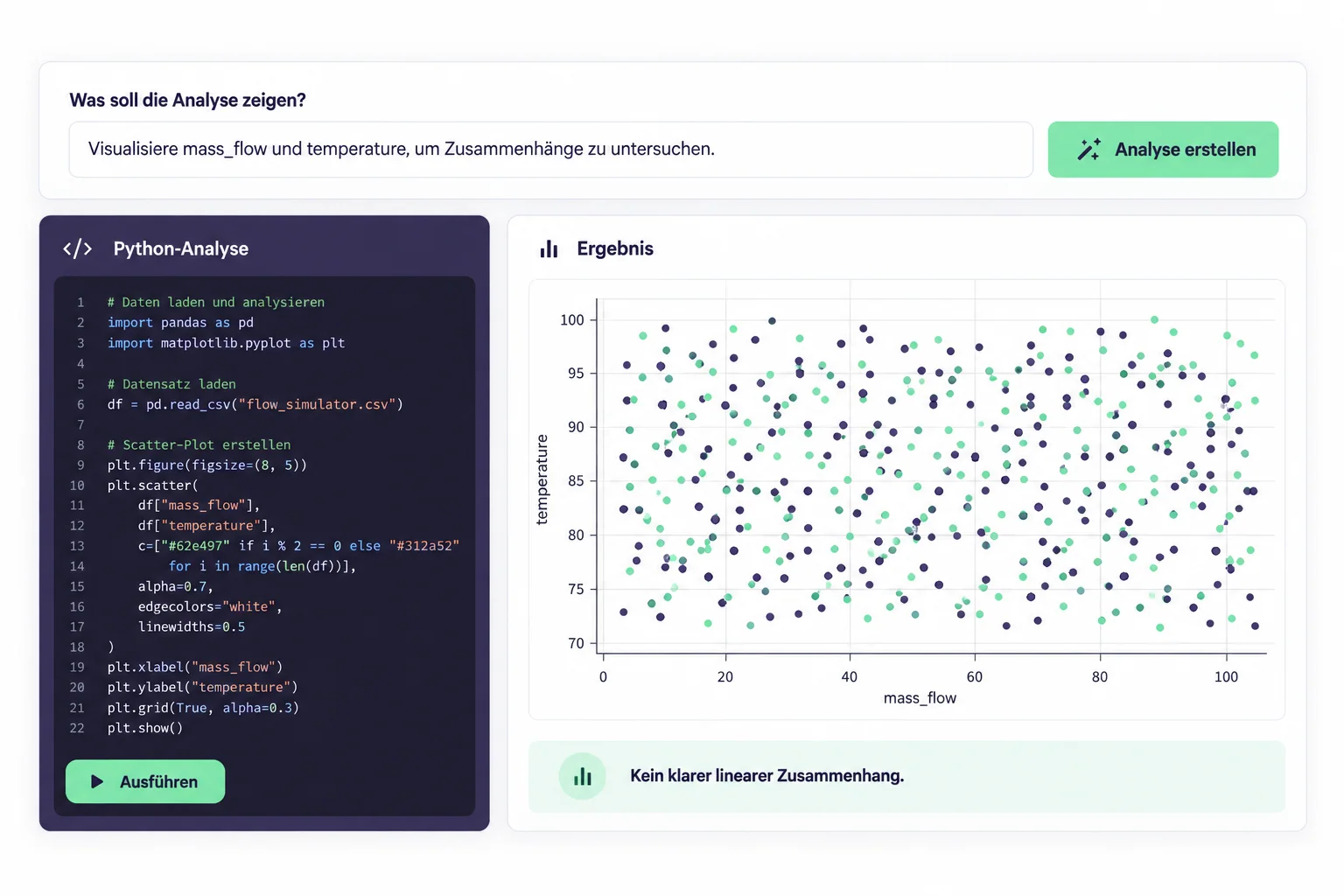
The language model generates explainable code for the Bytefabrik Python client, which can be reviewed and modified.
Prompt · Python Client · Explanation
- 03
Run on platform data
The code loads stored data in accordance with the platform's access rules. The production data does not need to be sent to the language model.
History · Roles · Data Access
- 04
Reusing Results
Visualizations, tables, and calculations remain linked to the code and can be customized with parameters or shared with the team.
Visualization · Parameters · Share
Exploratory Analysis as a Transparent Product Workflow
The three key perspectives show how a technical question can be transformed into a verifiable and divisible analysis.
What production-related question would you like to investigate using the stored data?
Begin the analysis in the context of production
Teams describe their research questions in natural language and draw on stored machine and process data directly from the IoT Data Hub.
From specific quality issues to comparisons of lines, shifts, or batches.
Everything that makes a robust analysis reusable
Controlled Data Access
Use stored platform data via open Python clients and existing roles.
Readable Python Code
Create, explain, review, and refine code in a targeted manner.
Visualizations and Tables
Present analysis results directly as charts, tables, and calculations.
Customizable and divisible
Fill out form fields and make reusable notebooks available to your team.
Controlling Model Selection
Integrate language models that fit your architecture, either on-premises or as a cloud service.
Classification and Control
What Teams Want to Know Before Using AI Laptops
Do you need to know how to program in Python?
No. You start by using natural language. However, the generated Python code remains visible and editable so that experienced users can review it or extend it as needed.
Does the language model have access to our production data?
The model supports code generation. The generated code accesses the data via the platform client, so the actual production data does not need to be sent to the language model.
Which language models can be used?
The model integration is configurable and can be tailored to your own architecture—for example, with an on-premises model or connected services such as OpenAI and Gemini.
When are AI pipelines the better choice?
AI notebooks are suitable for exploratory analysis of stored data. AI pipelines are designed for the continuous harmonization, monitoring, and analysis of live data streams.
30-minute product demo
What historical production issue would you like to examine?
We'll demonstrate live how your question can be turned into visible Python code, controlled data access, and a reproducible result.
Product demo with a specific analysis question